Import Release Pipeline
Follow these steps to deploy database.
- Navigate to Pipelines and select New. Select Import Release pipeline.
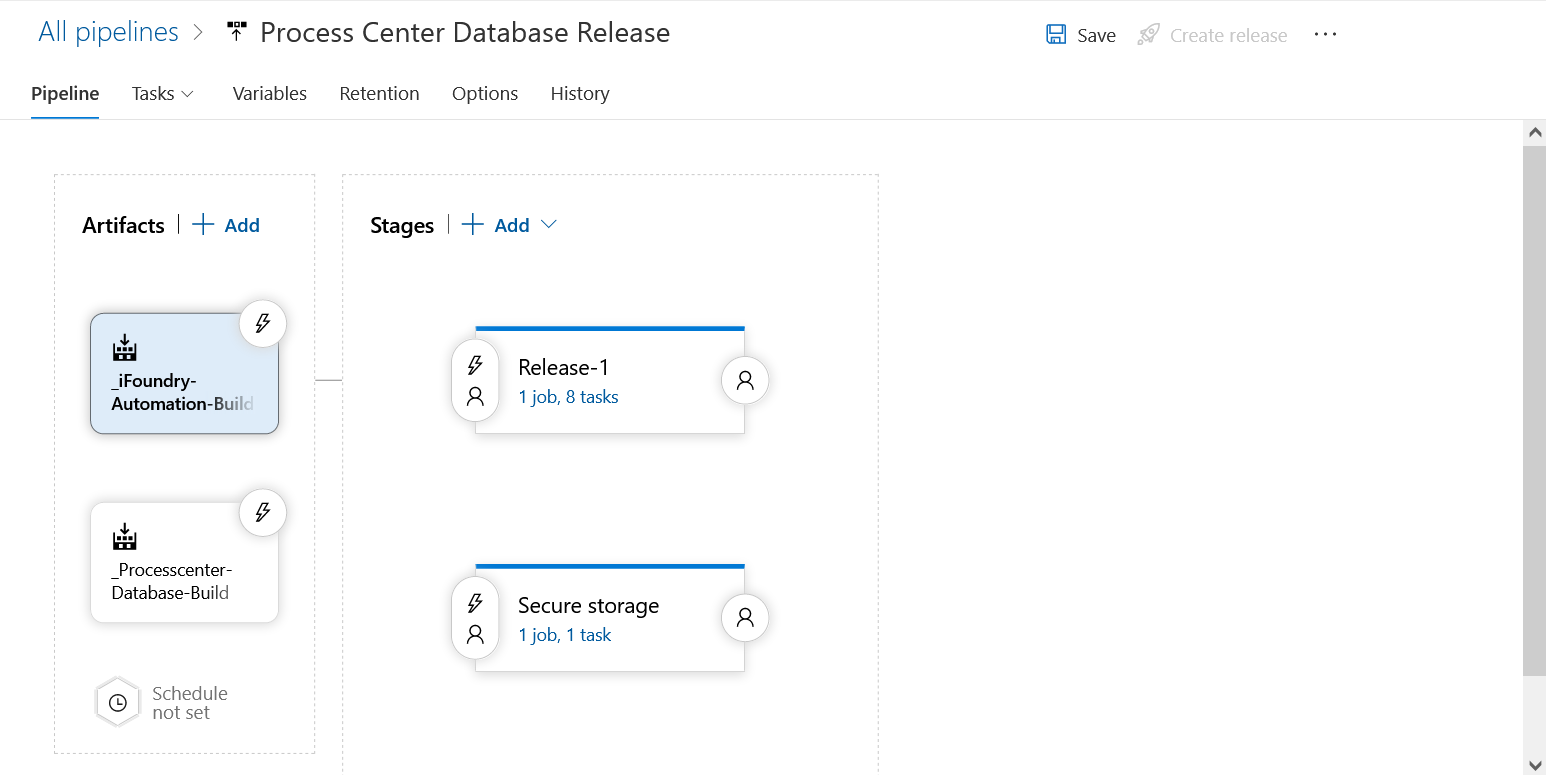
- Browse the JSON file provided in the build to import the pipeline. You'll see the screen shown upon a successful import.
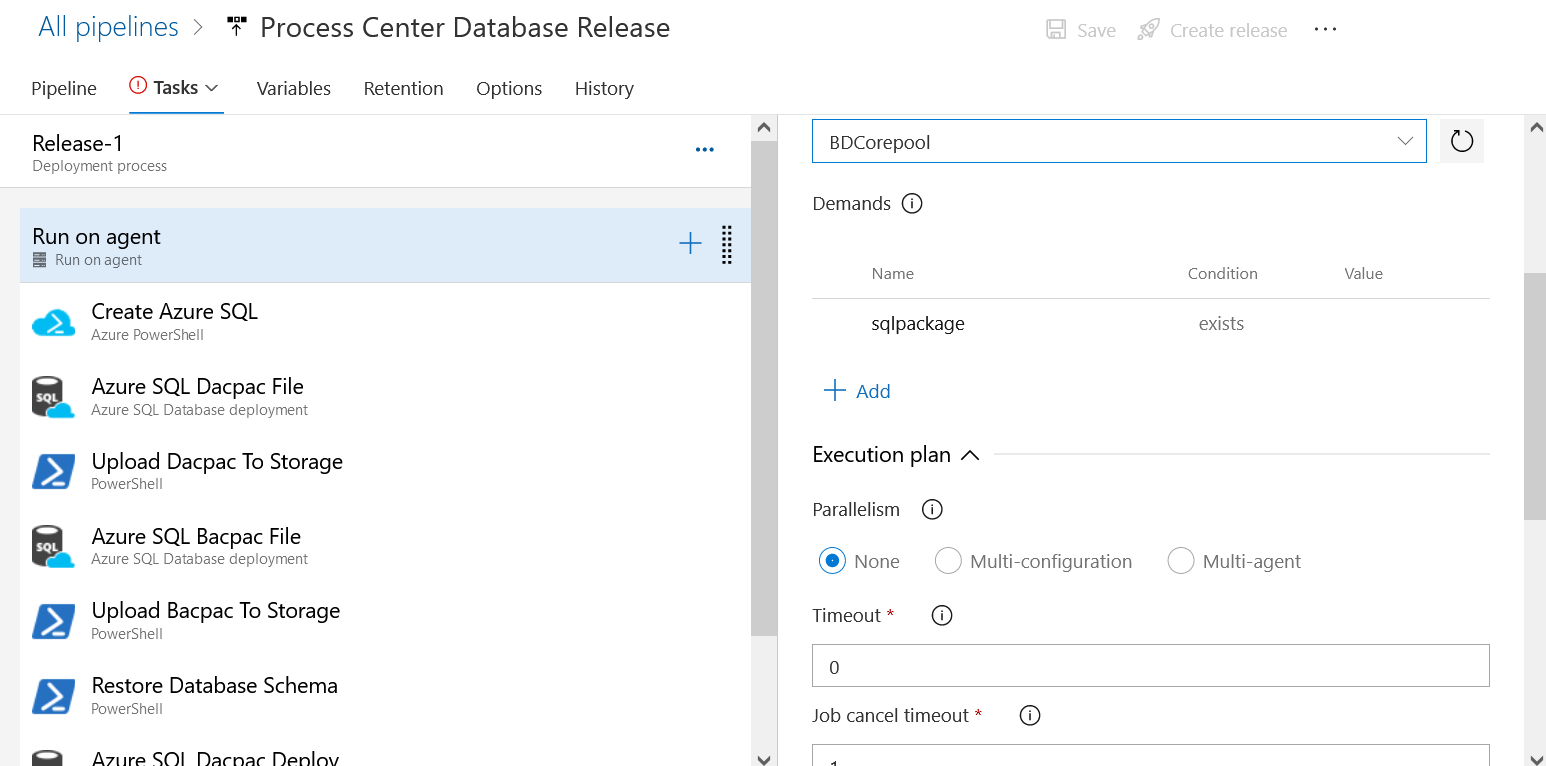
- Select Tasks to view the Task group. Right click the task group and select Manage task group to view the imported tasks.