Upon JSON import, the pipeline variables are automatically added. The variable groups that must be added are shown in the Create Variable Groups section.
Imported Variables
The values for each variable must be added accordingly as given below.
| Variable | Description | Is Required |
|---|
| _CreateWebapp | Name for the app service plan | Yes |
| AddIDServerClient | Whether a Client ID must be created or not ("true" or "false") | Yes |
| AppName | Location of the app service | Yes |
| BackupBuild | Whether to add build files in the application or not ("true" or "false") | Yes |
| baseurl_Admin.baseurl | Admin API URL | Yes |
| baseurl_IdentityServer.baseurl | Identity API URL | Yes |
| baseurl_Initiatives.baseurl | Initiatives URL | Yes |
| baseurl_ProcessCenter.baseurl | Process Center API URL | Yes |
| clientId | Unique identifier of the client | Yes |
| CorsUrl | Process Center Web URL | Yes |
| DeployEnvironment | Environment the webapp is deployed to (Linux or Windows) | Yes |
| iFoundryVersion | iFoundry version number | Yes |
| issuer | Identity Web URL | Yes |
| redirectUri | Process Center Web URL | Yes |
| RestoreBuild | Whether build files must be restored or not ("true" or "false") | Yes |
| RestoreFileUrl | Location of build files | No |
| scope | Database scope | Yes |
Create Variable Groups
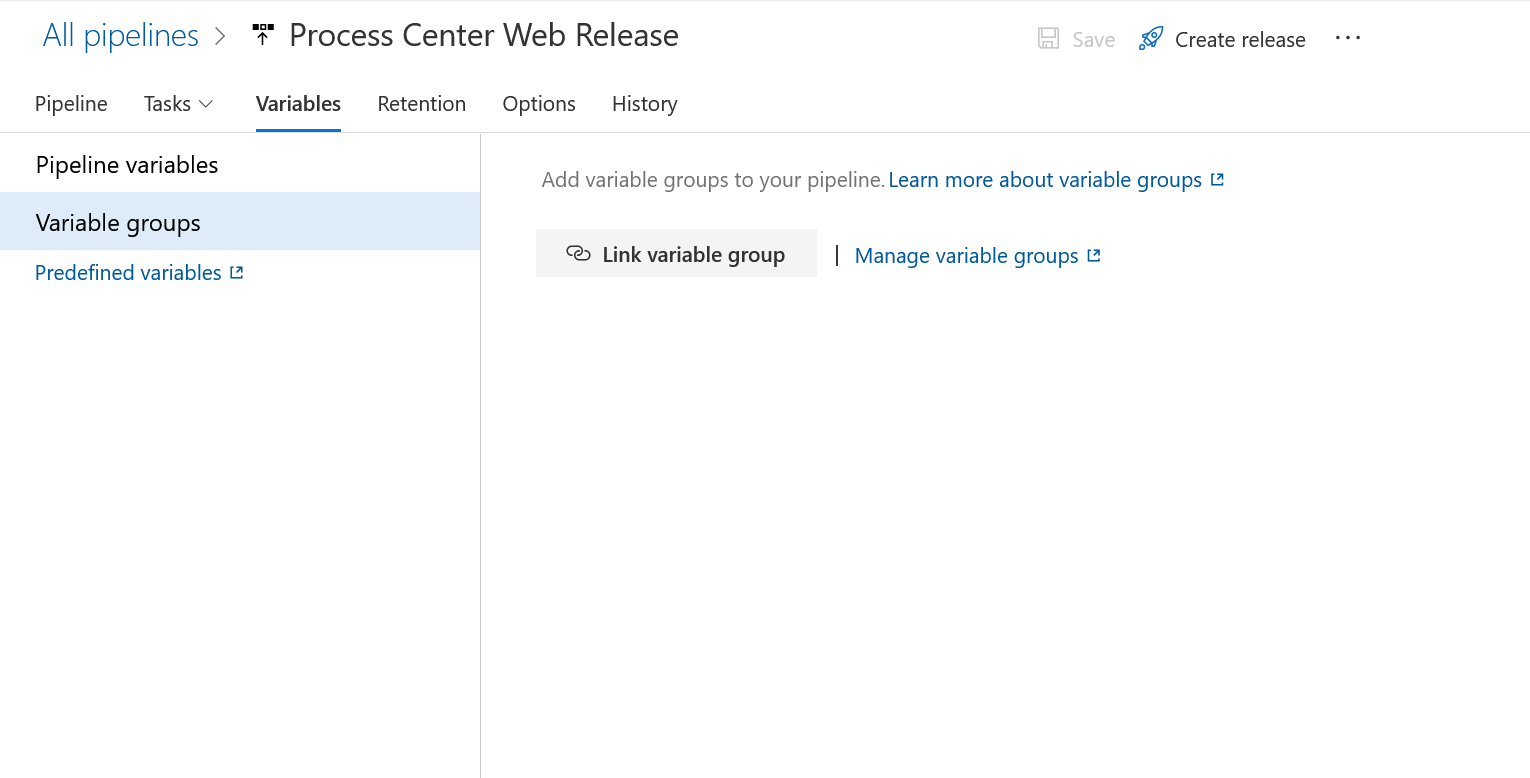
- Navigate to Variables to create variable groups. Select Manage Variable Groups.
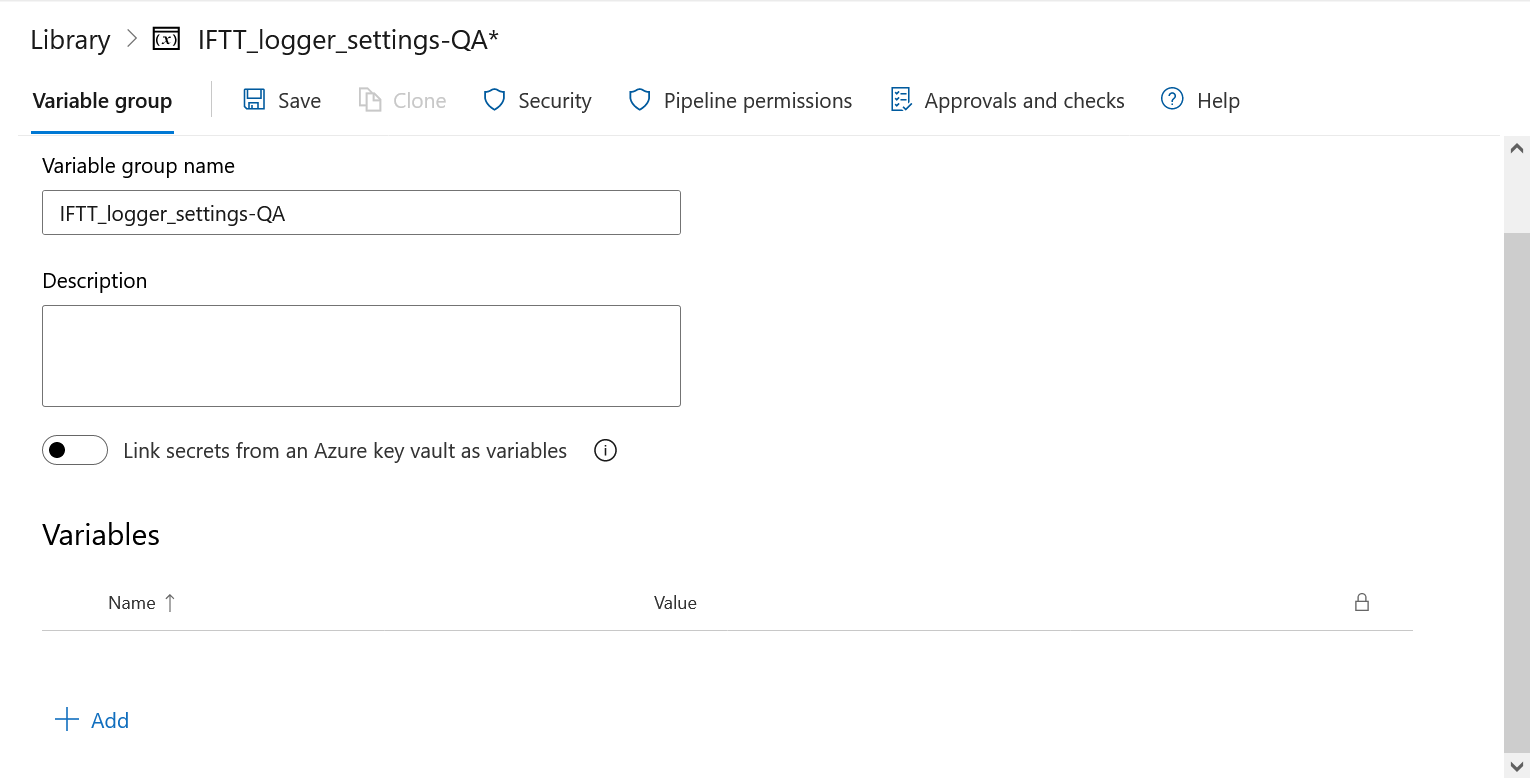
- A new tab appears. Select "+ Variable Group".
- Enter a name for each variable group, and add new variables respectively as shown in the tables below. Select Save after adding variables.
Error Logging
| Variable | Description | Is Required |
|---|
| IFTTSettings.ISLoggingEnable | Indicates whether logging is enabled or not ("true" or "false") | Yes |
| IFTTSettings.SaveToCloudFlag | Indicates whether logging should be saved to cloud or not ("true" or "false") | Yes |
| IFTTSettings.StorageAccountKey | Log account key | Yes |
| IFTTSettings.StorageAccountName | Name for the storage account | Yes |
| IFTTSettings.StorageContainer | Name for the storage container | Yes |
| IFTTSettings.XMLFilePath | XML file path | Yes |
Logger Settings
| Variable | Description | Is Required |
|---|
| ApplicationInsights.InstrumentationKey | Application instrumentation key | Yes |
| LogSettings.EnableLog | Indicates whether logging should be enabled or not ("true" or "false") | Yes |
| LogSettings.StorageAccountKey | Storage account key | Yes |
| LogSettings.StorageAccountName | Name for the storage account | Yes |
| LogSettings.StorageContainer | Name for the storage container | Yes |
| LogSettings.WriteTo | Indicates whether log settings must be saved to local or cloud | Yes |
| LogSettings.filePath | Location of log settings file | No |
App Service
| Variable | Description | Is Required |
|---|
| AppServicePlanName | Name for the app service plan | Yes |
| AppServicePlanSize | Configuration size (B1, B2, B3) | Yes |
| _Location | Location of the app service | Yes |
| _ResourceGroupName | Name for the resource group | Yes |
| Variable | Description | Is Required |
|---|
| ConnectionStrings.DBConnection | Format of the connection string | Yes |
| CorsOrigins | Cross-Origin Resource Sharing (CORS) URL | Yes |
| Logging.LogLevel.Default | Default logging level | Yes |
Workbench Database Release
| Variable | Description | Is Required |
|---|
| DatabaseName | Name of the database | Yes |
| SQLPassword | SQL password | Yes |
| SQLServerName | Name of the SQL server | Yes |
| SQLUserName | SQL username | Yes |
| type | Type of SQL database | Yes |